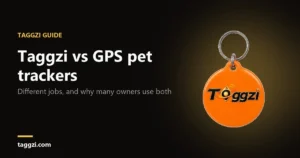
How to scan a Taggzi tag: NFC tap and QR code

To scan a Taggzi tag, either hold the top of the back of your phone against it (NFC) or point your phone’s camera at its QR code and tap the link that appears. The tag’s page opens in your browser, and you don’t need an app.
How do I scan a Taggzi tag with NFC?
- Wake your phone. Keep the screen on and unlocked.
- Touch the tag to the top back of your phone. Hold the top of the back of the phone flat against the tag.
- Keep still for about two seconds.
- Tap the pop-up if one appears. On some phones the page opens by itself.
Where is the NFC reader on my phone?
On most phones it is near the top of the back, but the exact spot depends on the model. Hold the tag flat against the top half of the back and move it slowly until the phone reacts. Android’s developer guide says NFC typically needs a distance of 4 cm or less, so the tag needs to be almost touching your phone.
Which iPhones read a tag without any setup?
Apple lists the iPhone XR, XS, 11, 12 and 13 and the iPhone SE (2nd generation and later). On the iPhone 7, 7 Plus, 8, 8 Plus and X, turn on NFC Tag Reader in Control Centre first (Settings › Control Centre), then tap it when you want to scan.
Does Android read tags automatically?
Android phones are usually looking for NFC tags when the screen is unlocked, unless NFC has been turned off in Settings.
How do I scan the Taggzi QR code?
- Open your phone’s camera.
- Point it at the QR code on the tag and keep the phone steady. Fill the screen with the code.
- Tap the link that appears on screen, or the small QR icon on some phones.
- The tag’s page opens in your browser.
Good light helps. If the code is too small to scan, tap the tag on the back of your phone instead.
What if nothing happens?
- Wake your phone, with the screen on and unlocked.
- Take off a thick or metal case, which can get in the way.
- On Android, check that NFC is switched on in Settings.
- On an iPhone 7, 8 or X, turn on NFC Tag Reader in Control Centre.
- Use the QR code instead.
Do I need an app to scan a Taggzi tag?
No. Tapping the tag or scanning its QR code opens the tag’s page in your browser. If it is your own new tag, scanning it for the first time starts setup: sign in and follow the steps to link it to your pet. The free Taggzi app is optional.